


The world of video creation is undergoing a massive shift. What once took weeks of painstaking manual work can now be done in minutes. This transformation is driven by AI video editing, which uses artificial intelligence to automate and enhance the video production process. For creators and businesses, AI video editing enables producing more content faster and with better results. If you want to explore more about the latest in tech trends, many resources cover how AI video editing is influencing modern content workflows.
Table of Contents
What is AI Video Editing?
AI video editing is the use of artificial intelligence and machine learning algorithms to automate tasks in the video editing process. Instead of manually cutting clips, correcting colors, and adding effects, AI tools can analyze footage, identify key moments, and apply pro-grade edits automatically. This technology streamlines workflows, saves hours, and empowers creators to focus on telling compelling stories.
The significance of this shift is huge. Content Creation and Marketing teams now don’t need massive budgets or advanced skills to produce quality videos. Generative AI Tools can even create new video footage from a simple prompt, launching entirely new creative opportunities. If you want to know more about AI’s influence at key technology conferences, visit this consumer electronics event resource.
Key Features of AI-Powered Video Editing Tools
Modern AI editing platforms come packed with features previously exclusive to professional editors. These tools handle the tedious and technical aspects of editing, so you can focus on the creative side.
Some of the most impactful AI-powered video editing features include:
- Text-Based Editing: Edit your video by simply editing a text transcript. Deleting a sentence removes the corresponding video segment. Check out this guide on beginner-friendly video editing software.
- Automatic Clip Generation: AI analyzes long-form videos like webinars and pulls out the most engaging short clips, complete with captions.
- AI-Generated B-Roll: Instead of searching for stock footage, you can describe the B-roll you need, and the AI finds or generates relevant clips.
- Smart Re-framing: AI keeps the main subject centered, even when changing aspect ratios for different platforms. For more on adapting video formats, see best practices for video creation.
- Audio Enhancement: AI removes background noise, filler words, and long pauses with a click.
- Eye Contact Correction: AI can adjust the gaze to look directly into the camera for a more engaging presence.
- Auto Color Correction & Stabilization: Automatically fix shaky footage and enhance color, exposure, and contrast.
Want to know how these features impact tech careers? Explore education technology jobs and how AI skills are shaping the industry.
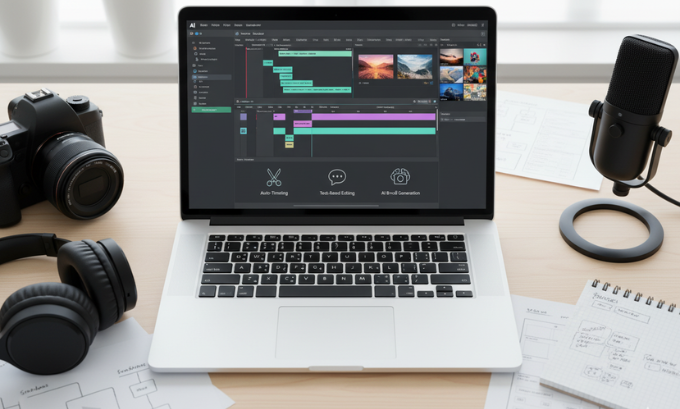
Top AI Video Editing Tools in 2025
The market for AI video editors is evolving rapidly. Each tool offers unique features tailored to different creators. After using many platforms, here are those leading the way:
For All-in-One Editing: Filmora AI
Filmora AI from Wondershare blends traditional desktop editing with powerful AI enhancements. Perfect if you want speed and creative control.
- What I Like: The AI Text-Based Editing is a game-changer. Cutting a 20-minute recording down to 5 minutes was seamless, and AI Frame Interpolation brought smoothness to low-frame-rate clips. If you’re new to editing, check this detailed video software guide.
For Repurposing Content: Opus Clip
Opus Clip excels at transforming long videos into punchy, viral clips. It’s highly valued by YouTubers and podcasters.
- What I Like: The unique “Virality Score” and seamless AI B-roll integrations make creating social-ready shorts effortless. For tips on boosting your reach, read about content repurposing strategies.
For Text-Based Workflows: Descript
Descript has evolved from a podcast app to a robust video editing tool using a document-like interface.
- What I Like: The “Underlord” AI assistant removes backgrounds and refines voiceover inflections for professional polish. Interested in coding for future AI tools? Check these top courses.
For Effortless Social Videos: Gling AI
Gling AI is perfect for creators who want finished videos fast. It automates raw footage trimming, captioning, and chapter marking.
- What I Like: The AI Text-Based Trimmer cuts out silences and bad takes with precision, while the Title Generator crafts engaging headlines—ideal for sharing on social media platforms.
For Generating Video from Scratch: Invideo AI
Invideo AI stands out by creating complete videos from simple text prompts—no footage needed.
- What I Like: AI Faceless Video Generator is excellent for creators who prefer not to appear on camera. Interested in careers at the intersection of AI and design? Learn about AI engineer roles.
For Advanced Avatars: D-ID Studio
D-ID Studio is renowned for its lifelike AI avatars using advanced deep learning.
- What I Like: Digital presenters created in D-ID’s platform engage audiences and lift training or marketing video quality. Curious about avatar use in global tech? See industry developments in Asia.
If you want to know more about AI video editing tools and trends, you may visit this site for a thorough breakdown.
Benefits of AI Video Editing for Content Creation and Marketing
Integrating AI video editing into your workflow delivers clear advantages.
- Time Savings: Tasks like cutting silences or adding captions are automated. Read about efficiency gains with AI.
- Quality Improvements: AI platforms stabilize video, remove noise, and apply branding, making amateur footage look polished.
- Lower Barriers: User-friendly, often web-based tools make high-quality editing accessible to startups. Discover affordable solutions for beginners.
- Easy Repurposing: One long video can turn into multiple shorts for various platforms, maximizing content value. For more strategies, see multi-platform content tips.
If you’re seeking tips for digital business growth, check out e-commerce tools for beginners and ways to enhance your online presence.
Challenges and Limitations of AI Video Editing
Despite the benefits, AI video editing is not perfect.
- Nuance Gaps: AI may miss creative cues a human would sense—like dramatic pauses or emotional context. For more, see SEO tools that aid human touch.
- Repetitive Outputs: Some tools generate nearly-duplicate clips. Human review is needed for the best edits.
- Overused AI Effects: Using default transitions or captions can make videos feel generic. Learn branding strategies.
- Hidden Costs: The best features may cost extra or require premium upgrades. For financial planning, explore affordable software tips.
Learn more about balancing automation with creative strategy at tech-focused news sources.
Comparison Table of AI Video Editing Tools
| Feature | Opus Clip | Descript | Filmora AI | Invideo AI | Gling AI |
|---|---|---|---|---|---|
| Best For | Repurposing Content | Text-Based Editing | All-in-One Power | Video Generation | YouTuber Automation |
| Key Feature | Virality Score | Overdub & Underlord | AI Text-Based Editing | Prompt-to-Video | Auto Trimmer |
| Ease of Use | Very High | High | Medium | Very High | High |
| Platform | Web | Desktop & Web | Desktop | Web | Web |
| Starting Price | ~$15/month | ~$12/month | ~$30/month | ~$20/month | ~$19/month |
If you’re looking for more info on feature-rich software for beginners or want guidance on coding skills for tech jobs, these resources are handy.
FAQ Section
1. Can AI replace human video editors completely?
No, not completely. AI handles technical tasks but lacks a human’s instinct for storytelling nuance. Learn more about combining AI with human skills.
2. Is AI video editing difficult to learn?
Most tools are designed for easy, intuitive use. Beginner guides help you start without stress.
3. What is the difference between generative and regular AI video editing?
Regular AI editing automates tasks on existing footage, while generative AI tools create new content from prompts.
4. Can I use AI to edit videos for free?
Many editors offer free trials or plans, but for advanced features and watermark removal, a paid subscription is often required.
5. How does AI create short clips from a long video?
AI reviews transcripts, audio cues, and key visuals to identify engaging moments. For more about content intelligence, see AI-powered creation insights.
6. What skills are growing in the AI video space?
AI engineer roles and coding for media tools are in high demand as automation accelerates.
7. Interested in the latest AI trends?
Stay updated on cybersecurity and AI to future-proof your tech skills.
Conclusion
AI video editing has moved from futuristic buzzword to essential tool. By automating tedious production tasks and enhancing creative work, platforms like Opus Clip, Descript, and Filmora AI help creators make better content—faster and smarter. The best way to boost your workflow? Try one of these innovative video editing solutions today, or follow industry trends on techbullion.in.
